I recently made a video for GTA V. i have watched the video quite a
few time and until yesterday i had never seen an out of place frame in
the middle of the video.
The
frame i have left is an in between frame where i have seperated 2
pieces of footage. I am annoyed i havent noticed this before but will be
on high alert for such mistakes in future.
Showing posts with label editing. Show all posts
Showing posts with label editing. Show all posts
Sunday, 18 August 2013

Saturday, 17 August 2013
Banshee New Sheriff Trailer
i decided to do another trailer for the Cinemax TV show Banshee.
This time i took every episode cutting them up scene by scene and deleting the scenes i did not wish to use. i then chopped up my favourite bits and put them over a 2 minute clip of the sheriff being sworn in.
the trailer can be seen here:
http://www.youtube.com/watch?v=hDKrl48kHfo&feature=youtu.be
This time i took every episode cutting them up scene by scene and deleting the scenes i did not wish to use. i then chopped up my favourite bits and put them over a 2 minute clip of the sheriff being sworn in.
the trailer can be seen here:
http://www.youtube.com/watch?v=hDKrl48kHfo&feature=youtu.be
Sunday, 4 August 2013
GTA V Tralier Finished
Finished colour correcting and made all the final adjustments to the video i started yesterday.
See the finished video below.
See the finished video below.
Saturday, 3 August 2013
GTA V Trailer
Today i decided to edit an extended version of the upcoming Rockstar game GTA V.
I took all of the existing trailers and mixed them together to make an extended trailer, i swapped out footage from different sections of trailers with other footage. I then extended the soundtrack to the trailers by identifying the track used and replacing it with a long version of the clip.
I split the trailer into 3 sections to focus on the 3 main characters, each with an individual song used in a previous trailer.
The trailer is currently 8 minutes long and i am currently colour correcting it.
Below is a screen shot of me editing footage in Adobe Premiere Pro.

I took all of the existing trailers and mixed them together to make an extended trailer, i swapped out footage from different sections of trailers with other footage. I then extended the soundtrack to the trailers by identifying the track used and replacing it with a long version of the clip.
I split the trailer into 3 sections to focus on the 3 main characters, each with an individual song used in a previous trailer.
The trailer is currently 8 minutes long and i am currently colour correcting it.
Below is a screen shot of me editing footage in Adobe Premiere Pro.

Sunday, 14 July 2013
Filming Garden Art
Today I decided that i would get my camera out and film with no real objective.
As it was a nice day i took my camera outside and decided that i would concentrate on plants and flowers. My focus was on getting arty close up shots with pulling focus or zooming in. i also used a lot of shots where i locked the camera off as there was movement in the plant due to a slight breeze.
I am going to edit together all the footage later in sort of a montage of clips style and possibly edited the sound where needed.
As it was a nice day i took my camera outside and decided that i would concentrate on plants and flowers. My focus was on getting arty close up shots with pulling focus or zooming in. i also used a lot of shots where i locked the camera off as there was movement in the plant due to a slight breeze.
I am going to edit together all the footage later in sort of a montage of clips style and possibly edited the sound where needed.
Sunday, 2 June 2013
Editing/Colour Correcting Elite Training Video
I've found that as this video was filmed in a garage with no
additional lighting the natural light combined with the florescent bulbs
give everything a blue tint.
To correct this i have combined levels with RGB curves in Adobe Premiere Pro, adjusting the brightness and the blue levels of the clips.
This makes the clips look a lot more natural and makes the images seem sharper and clearer.


To correct this i have combined levels with RGB curves in Adobe Premiere Pro, adjusting the brightness and the blue levels of the clips.
This makes the clips look a lot more natural and makes the images seem sharper and clearer.
Before

After

Tuesday, 28 May 2013
experimenting with adobe soundbooth - Starting filming
Today i have been experimenting with Adobe Soundbooth. I have used
Soundbooth on several occasions in the past but thought it best to
familiarize myself with it a bit more as i am hoping to use it to record
a voice over for my up and coming project that i am doing for Elite
Training.
I have had a few test recordings in soundbooth making sure everything is running ok and playback is up to the standard i want, which it all is.
I am hoping to get the voice over recorded tonight. i will be taking my DSLR with lapel mics as a back up.
I start filming for this project tomorrow and hopefully will start editing either tomorrow night or Thursday.
I have had a few test recordings in soundbooth making sure everything is running ok and playback is up to the standard i want, which it all is.
I am hoping to get the voice over recorded tonight. i will be taking my DSLR with lapel mics as a back up.
I start filming for this project tomorrow and hopefully will start editing either tomorrow night or Thursday.
Saturday, 25 May 2013
Colour Correcting Open Art Stills
I decided that the still images i had used in the open art video were
a little bit dull. so rather than editing them in photoshop which i
felt would be time consuming and would have the same effect of colour
correcting in premiere. I used RGB curves, i upped the brightness and
took down the green colouring as the back ground was a yellow colour,
this made the pictures stand out from the background.

Before
After
Before

After
Before

After

I feel that the pictures are a lot brighter and alot easier on the eye when colour corrected.
Editing Over Exposed Background objects
Right this might seem like a bit of a bodge-job but it worked.
i had a shot that was fine in colour and lighting but was devalued by over exposed white boards in the back of the shot. i tried adjusting the brightness of the clip and colour correcting the clip both of which effected the subjects in the foreground to much making the clip look dull and lifeless.
i then decided that i would overlay the video with itself on the adobe timeline twice, i then cropped out everything except the board to the left applied the tool RGB Curves and adjusted the brightness and colours untill the board was no longer over exposed. i then repeated this technique for the second board.
Before


i had a shot that was fine in colour and lighting but was devalued by over exposed white boards in the back of the shot. i tried adjusting the brightness of the clip and colour correcting the clip both of which effected the subjects in the foreground to much making the clip look dull and lifeless.
i then decided that i would overlay the video with itself on the adobe timeline twice, i then cropped out everything except the board to the left applied the tool RGB Curves and adjusted the brightness and colours untill the board was no longer over exposed. i then repeated this technique for the second board.
Below
you can see the before and after images. This technique worked for me
as the moving foreground images did not at any point in the video cross
the overexposed background image if they had i would have not been able
to use this technique.
Before

After

Before

After

Tuesday, 21 May 2013
Colour Correcting Open Art
Finished Editing the open art video for the Shire Hall Gallery in Stafford.
I Finished off by colour correcting the video making all shots look very natural as can be seen below.

I Finished off by colour correcting the video making all shots look very natural as can be seen below.
Before
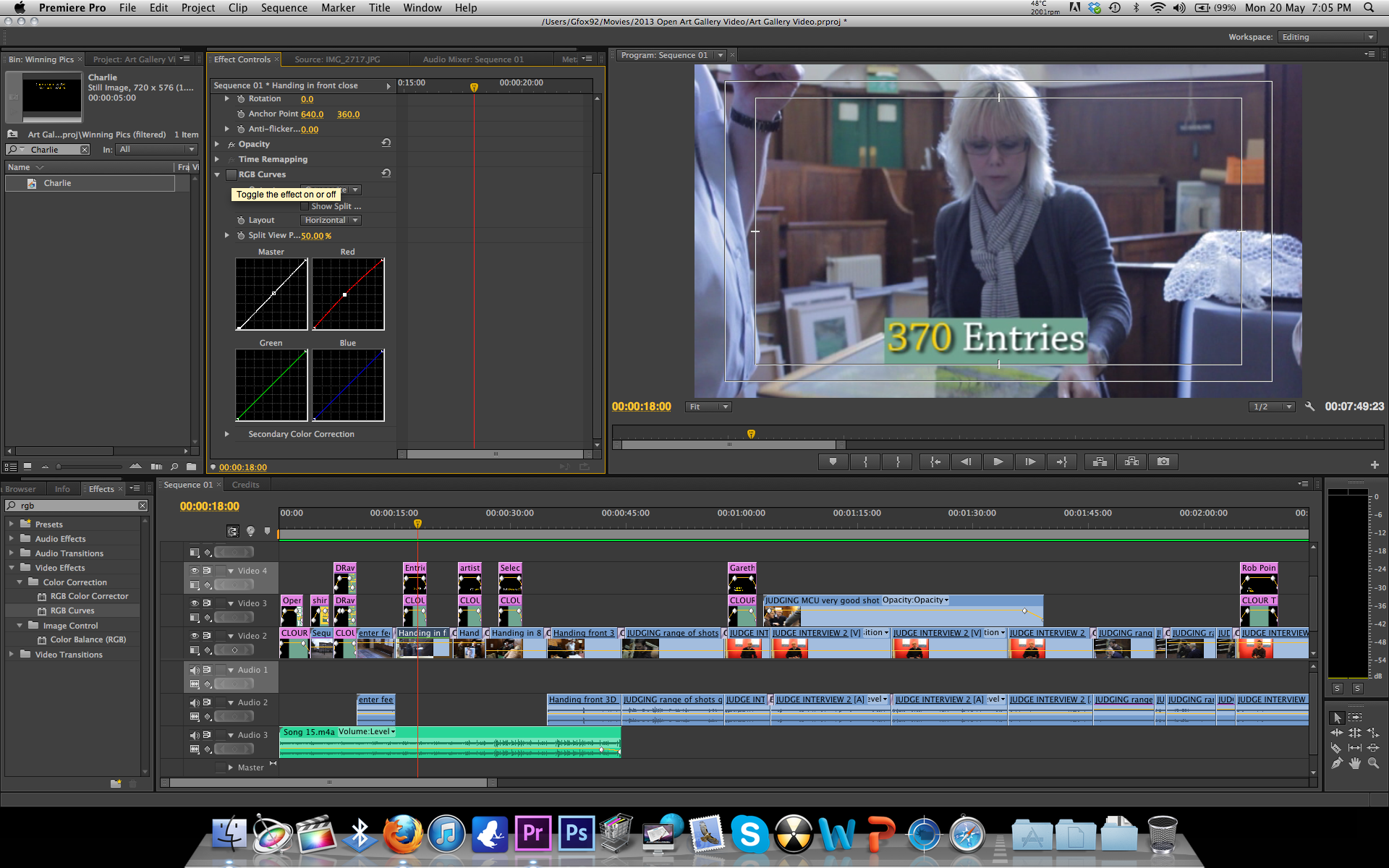
After

Monday, 20 May 2013
Editing Open Art Interviews
Just a quick post as I have just had a revelation while editing.
I know it sounds quite stupid but I have only just realized how important single frames are, I say this because while editing the sound of this interview I realized that by trimming a few frames you can make it sound as though the interviewee, is just talking not answering a question. This is done by trimming the '"erm"s, "well"s and other starting's to sentences making a sentence "erm well I started painting in..." to "I started painting in..."
Simple but effective.
I know it sounds quite stupid but I have only just realized how important single frames are, I say this because while editing the sound of this interview I realized that by trimming a few frames you can make it sound as though the interviewee, is just talking not answering a question. This is done by trimming the '"erm"s, "well"s and other starting's to sentences making a sentence "erm well I started painting in..." to "I started painting in..."
Simple but effective.
Friday, 15 March 2013
Editing foundations to employment
I have now done everything that i can with the audio. I found that
the best solution was for me to lower the volume of the clip and put a
constant grain sound on the clip which masks the annoying background
noise.
Another thing that i have found very useful which I had not used before is the RGB Curves tool in Premiere Pro for colour correcting. A tool i will be using again in future with the Levels tool.
Below are before and after pictures of the colour correcting I have done.


As you can see in the second picture the shadows on the subjects face and background have been reduced and the light in whole looks a lot more natural.
Another thing that i have found very useful which I had not used before is the RGB Curves tool in Premiere Pro for colour correcting. A tool i will be using again in future with the Levels tool.
Below are before and after pictures of the colour correcting I have done.
Before

After

As you can see in the second picture the shadows on the subjects face and background have been reduced and the light in whole looks a lot more natural.
Subscribe to:
Posts (Atom)